Campaign Ideation turns what AI PR Toolkit already knows about your brand (mentions, sentiment, narratives, outlet patterns, and Brand Hub assets) into campaign recommendations designed to improve your AI visibility.
Before you begin: You need an active Media Monitoring query with mention history. If you don't have one, see our guide to creating your first query.
Generating campaign ideas and pitching them to the right people takes 5 steps.
Step 1: Open Media Monitoring
- Go to AI PR > Media Monitoring
- Click Generate ideas in the Campaign ideation widget

Step 2: Choose a campaign strategy
Each generation cycle produces up to 3 execution-ready campaign strategies:
- Build awareness: Uncover missed coverage opportunities
- Amplify narrative: Strengthen a narrative that's already resonating
- Fight friction: Counter negative mentions
Note: Campaign ideation generates Fight friction only when you have negative mentions to address, and Amplify narrative only when you have positive ones to build on.
Each strategy includes a rationale and a hook.
- Rationale: What your monitoring data suggests will land and why it matters for AI visibility
- Hook: What makes your strategy timely or distinctive enough to be picked up
Note: The Fight friction strategy only generates if there are negative mentions to address, and the Amplify narrative only generates if there are positive ones to build on.

Step3: Review campaign details
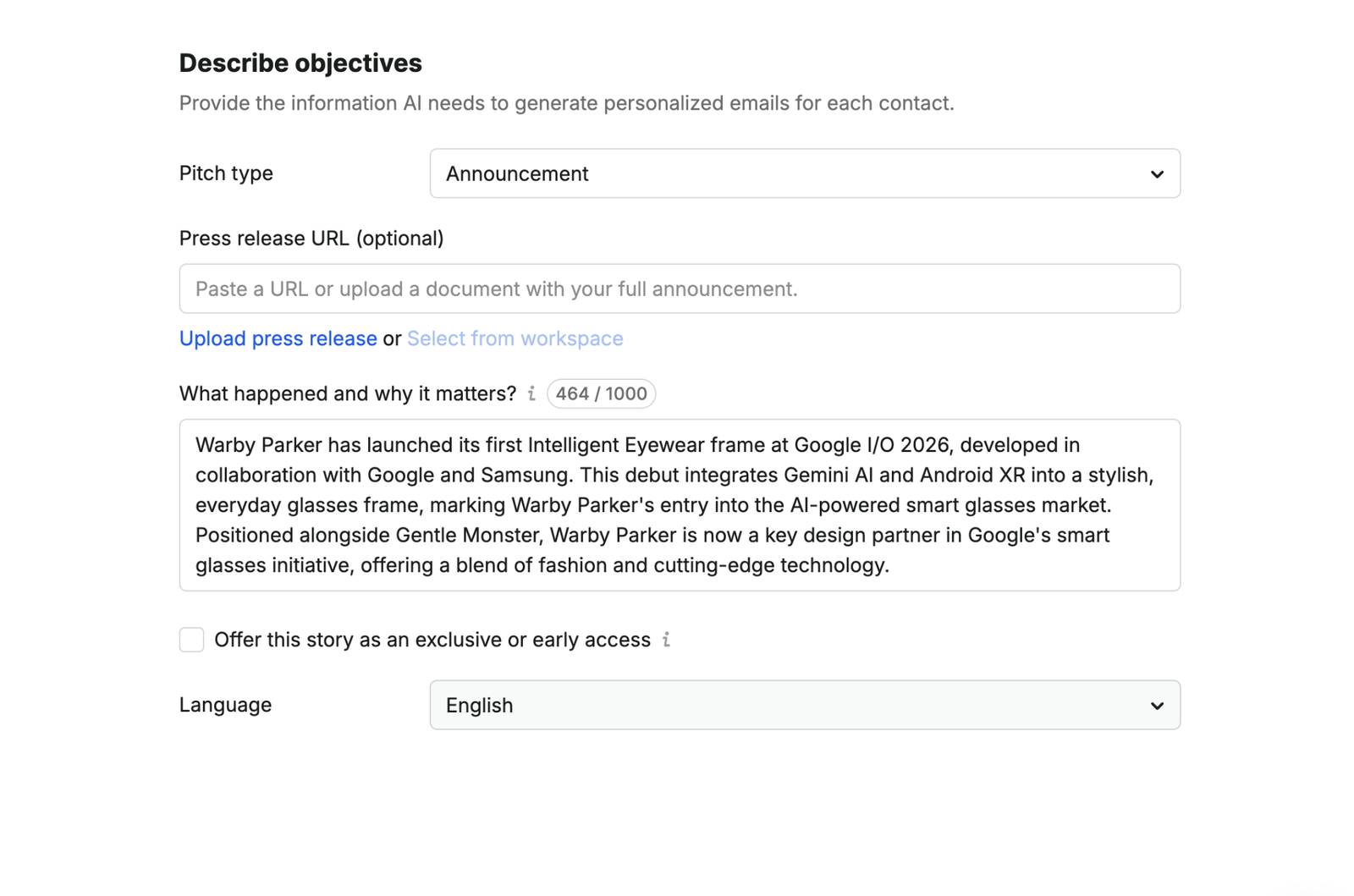
Select a strategy and click Continue to review:
- Pitch type
- Press release URL (optional)
- What happened and why it matters?
- Language
These fields are pre-populated with content based on your monitoring insights. Edit any of them to fit your needs.
Note: Campaign ideation pulls in relevant supporting assets from your Brand Hub automatically and flags any asset gaps worth filling.
Step 4: Select your targets
Campaign Ideation recommends outlets based on topic, country, and language, prioritized by AI authority. It also suggests journalists at those outlets based on the topics they cover and their recent articles.

Step 5: Review and send your PR pitch
Campaign Ideation generates a personalized pitch and a media list of relevant journalists. Review the pitch, edit it as needed, then send or schedule it.
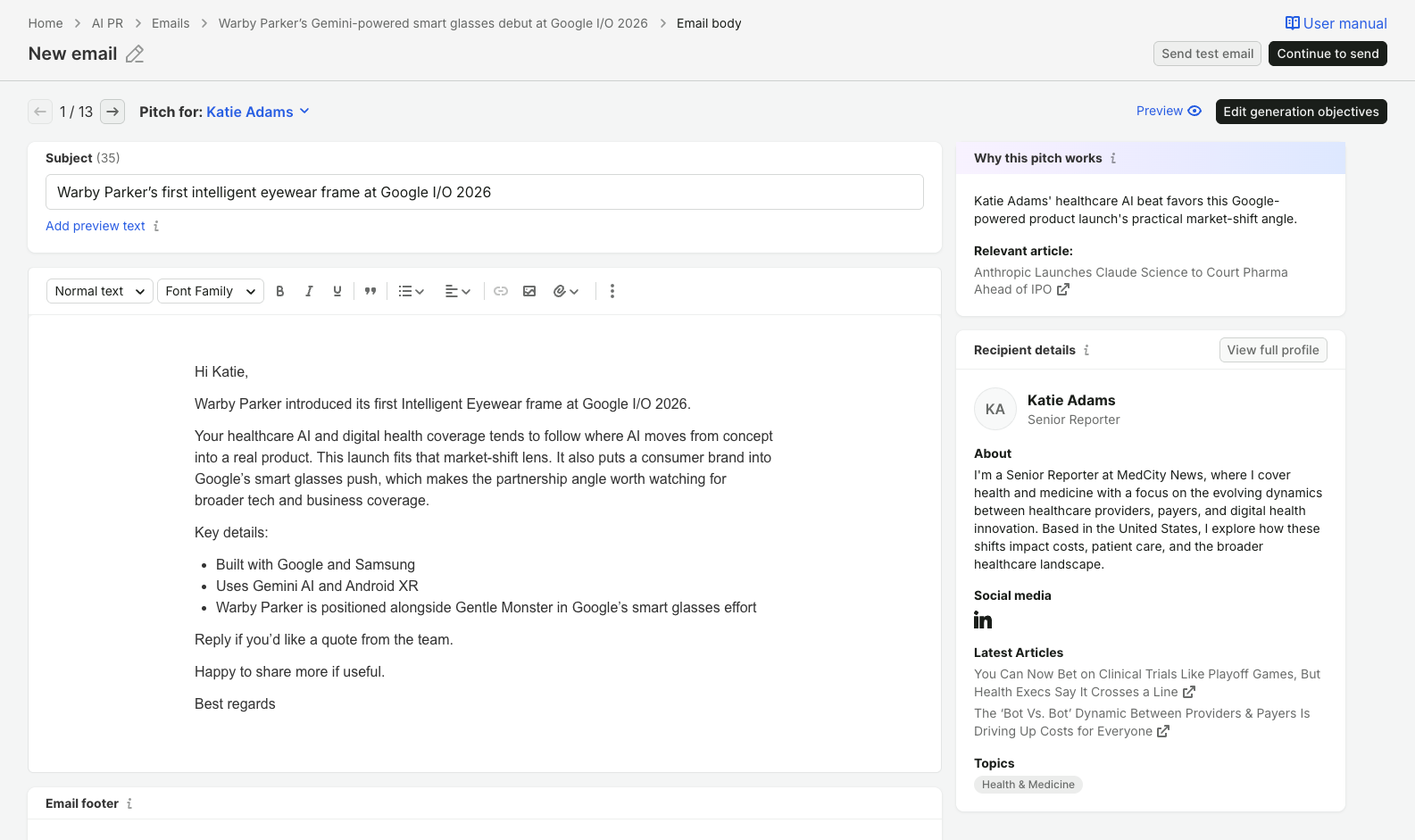
You can track your outreach results in the email dashboard.
 Back to Semrush Toolkits category